Creating Mockups with Balsamiq
Leave a commentNovember 3, 2013 by Eval Girl
When you work with remote teams, providing them with mockups is faster than doing long phone calls or writing long emails to explain your ideas.
I discovered Balsamiq few years ago while looking for a software that I could use to quickly share mockups of iPhone screens to developers for a mobile project.
My main goals were:
- to explain how the iPhone application would work
- to list the content of each screen (without going into a detailed screen design)
- to show how to navigate between screens (you don’t want to have a complex navigation for mobile applications)
I would use Balsamiq to mock up the application and to link the wireframes together. I would also write additional explanations of the application to my final document. As Balsamiq targets simplicity, this is not a tool for you if you need a software that handles complex interactivity.
Here is below an example of a mockup I created to explain a “Settings” screen using Balsamiq:
 You can purchase the desktop version of Balsamiq or subscribe to their web application (they also offer plugins). I purchased the desktop version and since then all the upgrades were free. I usually start creating my mockups on paper as it is faster, then I would finalize them with Balsamiq.
Once you have your wireframe in mind, create a new blank mockup and drag and drop the elements from the top UI Library to your canvas: it is that simple!
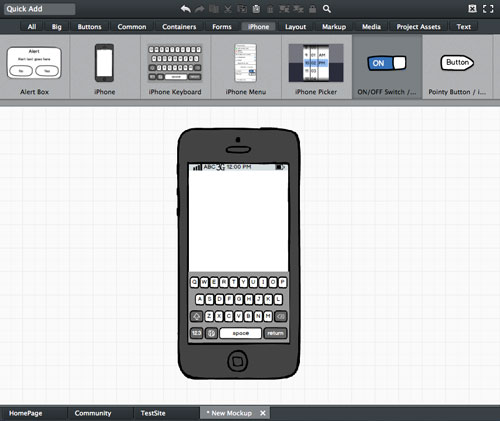
You can also click on each component to edit their properties:
 You can open and work on several mockups at a time:
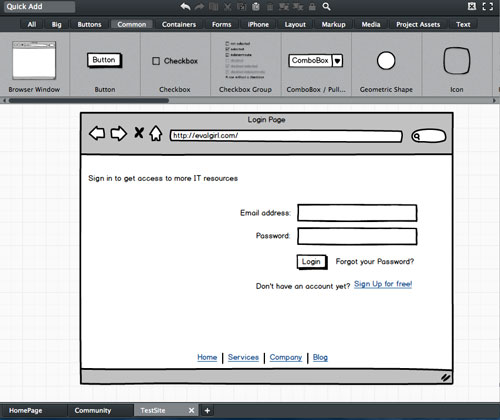
Then you will have the possibility to export all canvas to multiple PNG images or a single PDF document:

In addition, here is a website where you can learn some basics about UX design from the Balsamiq team: UX Apprentice.
 Eval Girl