Easy time tracking software
3October 27, 2013 by Eval Girl
If you have a small business and are looking for a simple time tracking tool to track the time you spend on specific projects and to generate associated invoices, here is a product that I found few years ago and that is easy to use: OfficeTime.
Instead of an online solution, I wanted a software that I would pay once and that I could install on my mac and use anywhere without having to connect to the internet , and that would have the following features:
- Track the time spent on the different activities of a project
- Being able to start/pause/stop a timer when working on a task
- Configure the hourly rates and automatically calculate the associated fees
- Edit the data
- Generate and format invoices
OfficeTime provides exactly those features for a one time fee: $47 (as of October 2013).
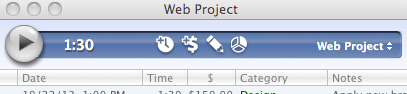
Once you have created your first project, it is easy to start your timer on your current activity just by clicking on the icon Play:
The icon remains green while your record the time spent on an activity:
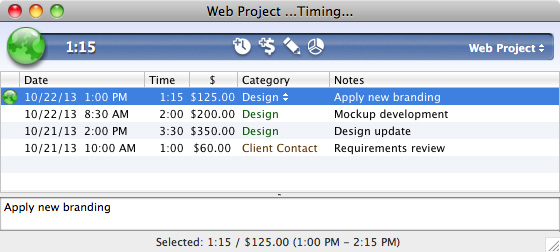
If you forget to pause your timer when you are away from your computer, the tool will ask, when you are back, if you would like to take into account that time.
You can also copy your activities (sessions) to iCal automatically:

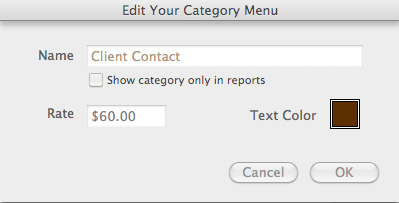
If you use different rates depending on the activities that are reported, the tool allows you to configure the hourly rate per category:
At any time of your project, you can have a look at the time spent using the Quick Reporting tool:
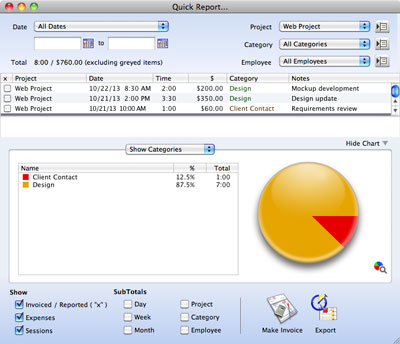
From there, you can export the data or generate your invoice.
The invoice generator allows you to select the type of information you would like to display on the invoice:

And here is below an example of a generated invoice without using any template:

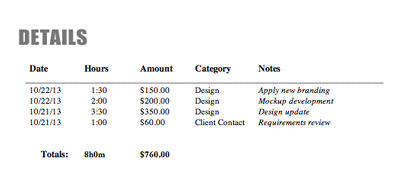
The generated document is editable so that you can modify the logo and some wording if necessary.
As a conclusion, if you are not looking for an online tool where you could collaborate with other users but just a simple and configurable product, you should try OfficeTime.
There is only one feature that I was not able to configure completely: foreign currencies that display the currency symbol at the end of the numbers.
For example, if you would like to generate invoices in Euros, you can set the euro symbol with OfficeTime and change your system preferences to display the European format: the ‘.’ and ‘,’ are correctly replaced but the € symbol is not displayed correctly at the end of the numbers in the generated invoices. However, you can still edit your invoice manually to fix the format.
 Eval Girl
Thanks for the great review. BTW, if you change your currency in the OfficeTime prefs, the next invoice you make will use the proper currency symbol. 🙂
You are correct: the next invoice will use the proper currency. It was not clear in my post, but I was trying to display the euro sign at the end of each number. In fact, thanks to your comment, I realize that the UK displays the euro sign before the number whereas other countries (such as France or Germany) display the euro sign after the number :-). Thank you for that 🙂
You’re right. It should show 30,00€ on invoices but instead shows €30,00. I created a ticket for you to get that fixed! It’s making little things like this right that add up to a great product.